Forty-five minutes a month. Here's where they go.
A paper planner and an app that does the maths. Set it up once, open it on payday, check one number every night and five minutes every Sunday. That's the whole routine.
Before your first payday
- Open your app. Tap the link in your purchase email. No link to hand? Go to I have a code and type the code from the email.
- Put it on your home screen. iPhone: Safari, tap Share, then Add to Home Screen. Android: Chrome menu, then Install app or Add to home screen. It opens like an app from then on.
- Print pages 2 and 3, or don't. The planner works on paper, in the app, or both. Pick what you will actually open.
- Answer Del's three questions. The first time you open the app, a 60-second welcome asks your pay, your next payday and your bills, then shows your daily number. You can split your bills into separate lines later.
- Fill in your money snapshot. Your take-home pay, how often you're paid, your next payday, and every bill. Tag each bill: need, could lower, could cancel.
- Choose your savings %. Start with 5 to 10%. Small and real beats big and abandoned.
"Darling, twenty minutes with your bills is cheaper than another month of guessing."
Del AshfordOn payday, give every dollar a job
- Let the payday ritual walk you through it. On payday the app opens a 10-minute ritual on its own: a look back at last month in color, your savings moved first, your pay checked, and your new number. Missed it? Payday tab, Split, "Start my payday ritual".
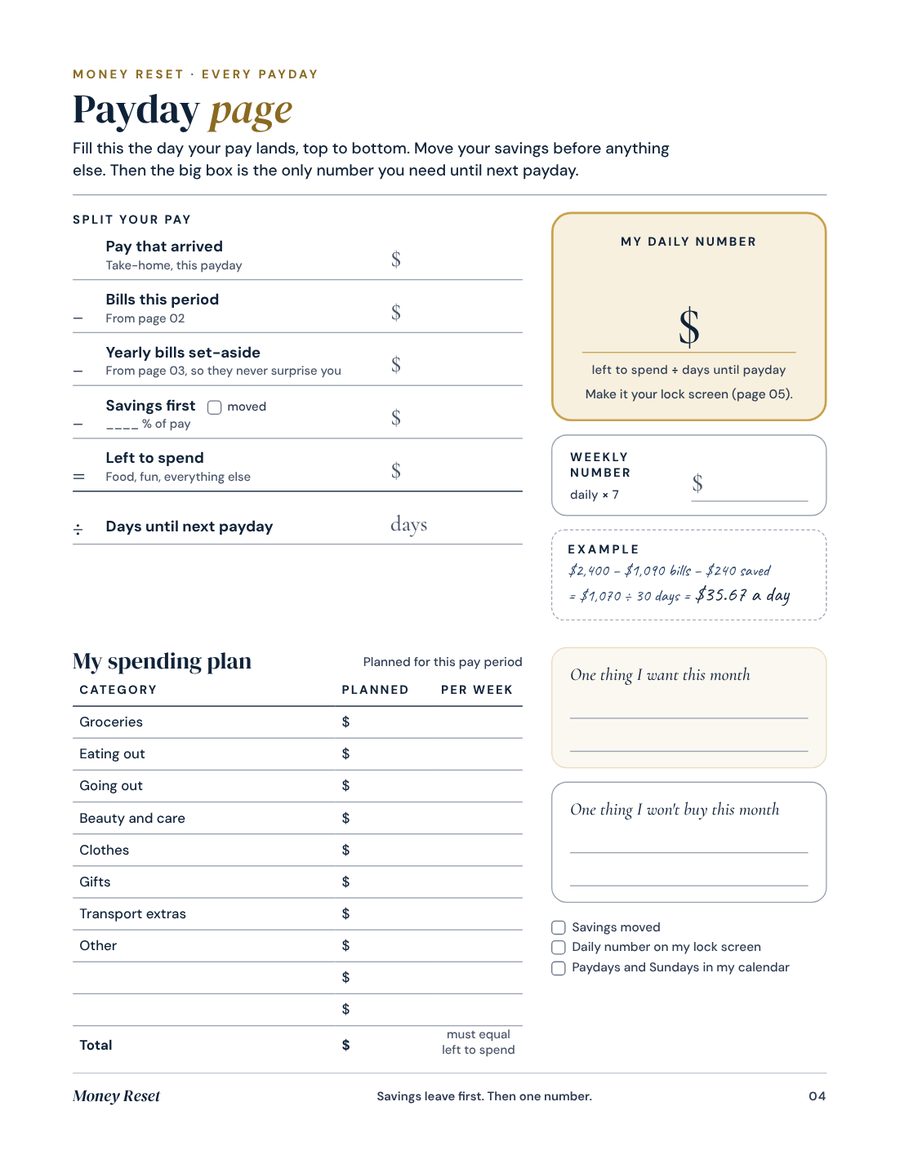
- On paper, open the Payday page. Copy the numbers the app gives you.
- Move your savings first. Before coffee, before anything. Savings that wait for the end of the month never happen.
- Read your daily number. Left to spend ÷ days to payday. That's what you can spend each day without worrying.
- Plan by category. In Plan, split your spending money into groceries, eating out and the rest. It has to add up to your spending money, not more.
- Make your lock screen. One tap saves an image with your daily number. You'll see it every time you pick up your phone.
- Add your reminders. Gear icon, Add to my calendar: every payday and every Sunday land in your phone's calendar.
| Take-home pay, monthly | $2,400 |
| Bills | − $1,090 |
| Savings first, 10% | − $240 |
| Left to spend | $1,070 |
| Days to payday | ÷ 30 |
| Daily number | $35.67 |
One number, one color
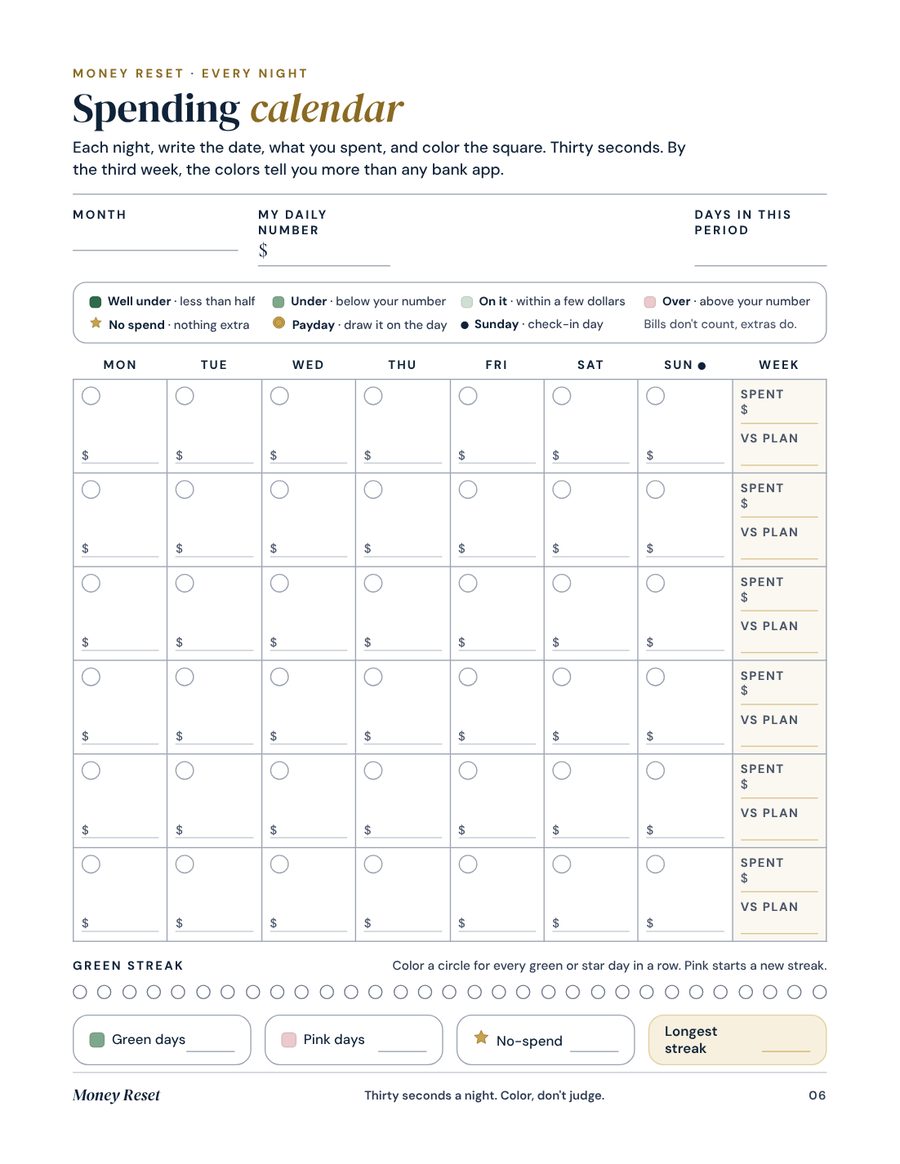
In Today, type what you spent and tap a category. On paper, color today's square. The daily number adjusts to what you've already spent, so a big day early in the month is absorbed, not hidden.
Ahead or behind? Now you know.
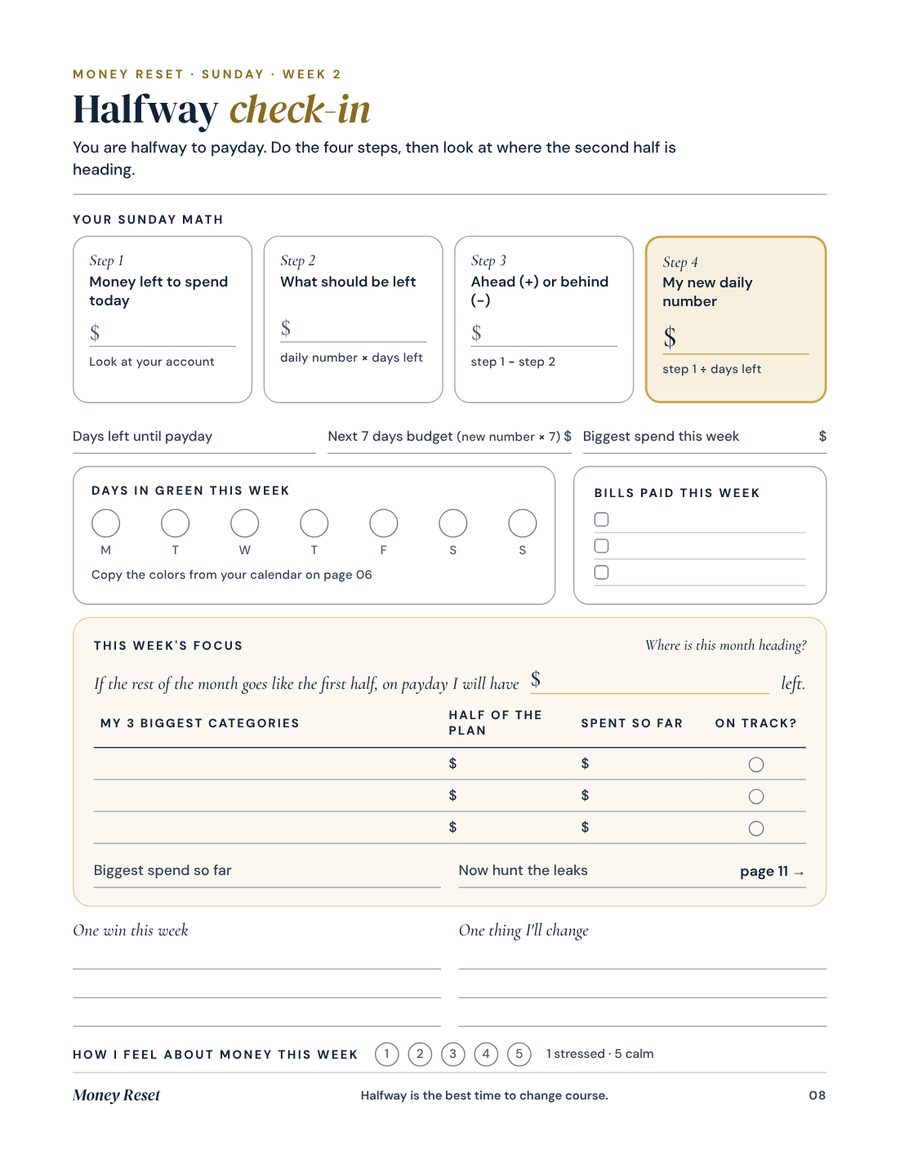
Open Sunday, type the money you have left to spend. The app tells you if you're ahead or behind, and gives you a new daily number for the days left. Then do the week's focus.
Did the plan hold?
A forgotten bill, a category too small. Fix it now, while it costs nothing.
The leak hunt
Tag every repeat payment. See what "could cancel" costs you in a year.
The tight week
List what's still coming before payday. Pick two no-spend days.
Get ready for payday
Decide what goes to savings and which bill comes first.
Three pink days? Rescue week.
If you go over three days in a row, Del offers a rescue plan in Today: pick two no-spend days this week and the app gives you a slightly bigger number for the other five. Your number has already absorbed the overspend, so nothing is hidden.
Savings jars you can watch fill
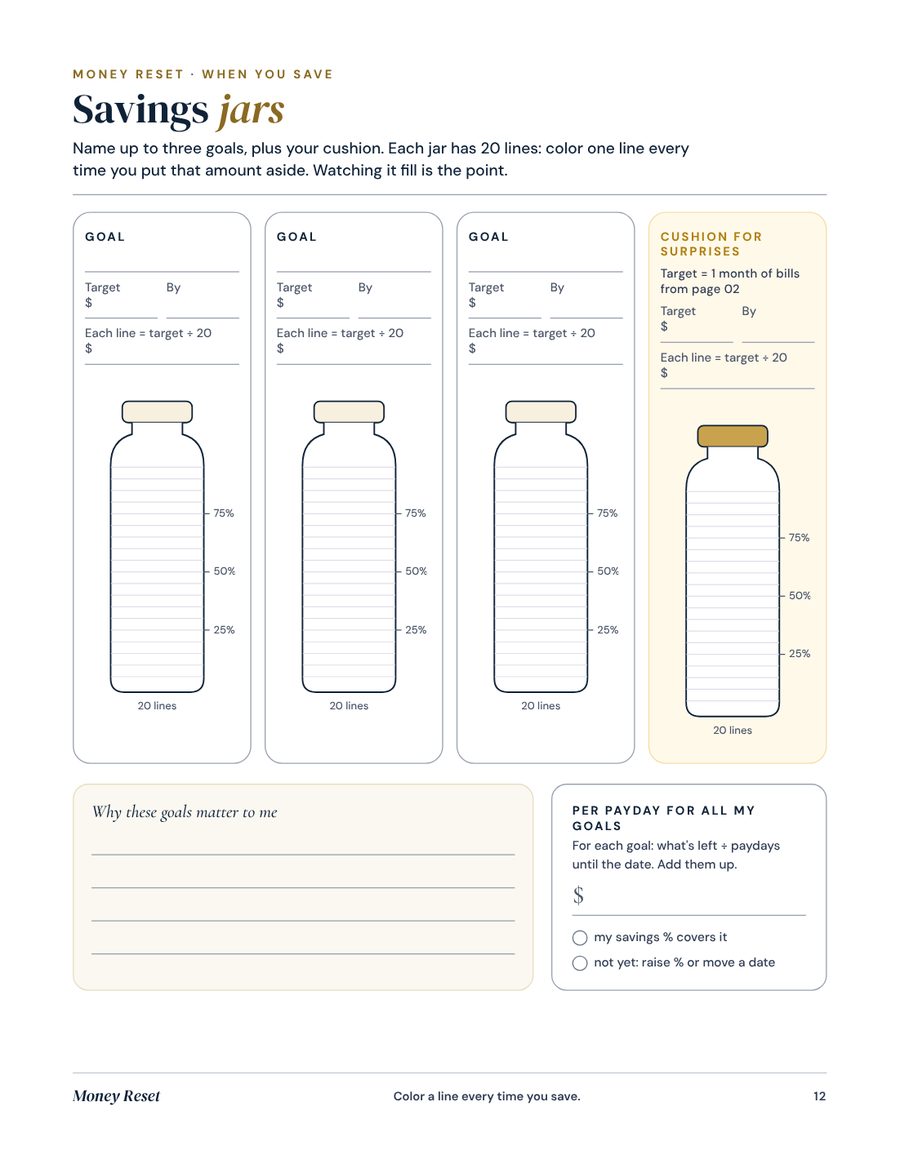
- A jar per goal. A trip, a course, new tyres. Give it a target, and a date if you have one.
- The amount per payday. With a date, the app tells you what to set aside each payday to make it.
- A cushion jar, always. Its target is one month of your bills, for the surprises that ruin months.
- Challenges, if you like a game. A no-spend week that fills itself, 5 a day for 30 days, or the 52-week challenge.
The month review
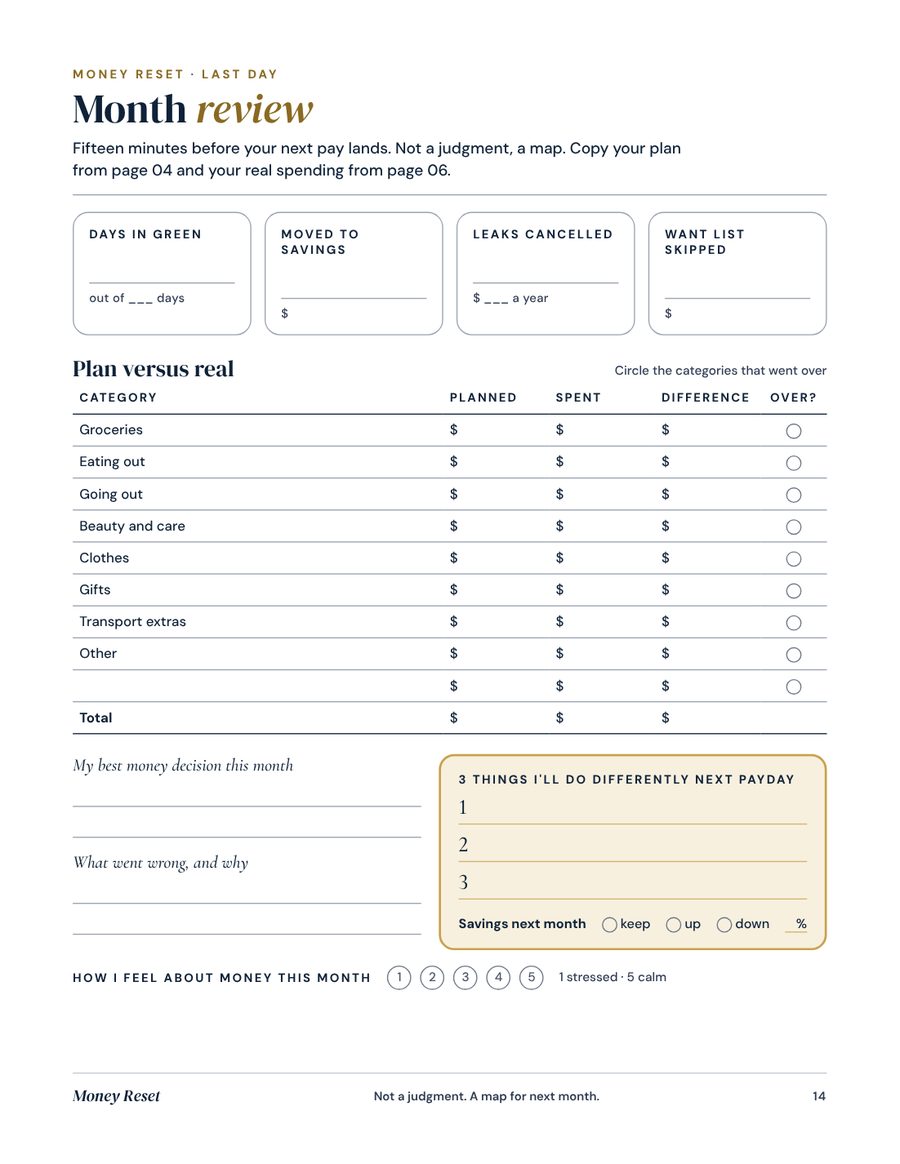
- Plan vs real. Month tab, Plan vs real: what you planned per category and what you actually spent.
- Count your green days. And your gold stars. Write the number down; you'll want to beat it.
- Note what you saved. Jars plus cushion. Small counts.
- Write three changes. Three, not ten. One category to trim, one bill to call about, one habit to keep.
- Reprint the monthly pack. Pages 4, 6, 7, 8, 9, 10 and 14. Your setup pages stay as they are.
Your life isn't a template. Here's how it bends.
Paid every 2 weeks or weekly
Choose it in Payday. Your daily number counts to your next payday, not to the end of the month. Do the Payday page every payday, and the review once a month.
Your pay changes
Enter your lowest normal pay. Anything extra goes straight to savings or a jar. You plan on the floor, never on the best month.
Changing phones
Gear icon, Save a backup file or Copy a backup code. On the new phone, open the app and restore it. Thirty seconds.
Your privacy
No account, no bank login, nothing sent anywhere. Everything you type stays on your own device.
Small hiccups, quick fixes
The app asks me for a code
Your code is in your purchase email. Type it on I have a code, dashes or not, or tap the link in the email. You only do this once per device.
I lost my purchase email
Search your inbox and spam for "Money Reset". Still nothing? Write to with the email you used to pay.
My daily number looks wrong
Check two things in Payday: your next payday date, and your bills (amounts per pay, not per year). The number also drops if you've already spent more than planned this period. That's on purpose.
Nothing was saved
Private browsing doesn't keep data. Open the app in a normal Safari or Chrome window, or from your home screen icon.
Is this financial advice?
No. Money Reset is a planning tool for general education. For debt, investing or taxes, talk to a qualified professional.